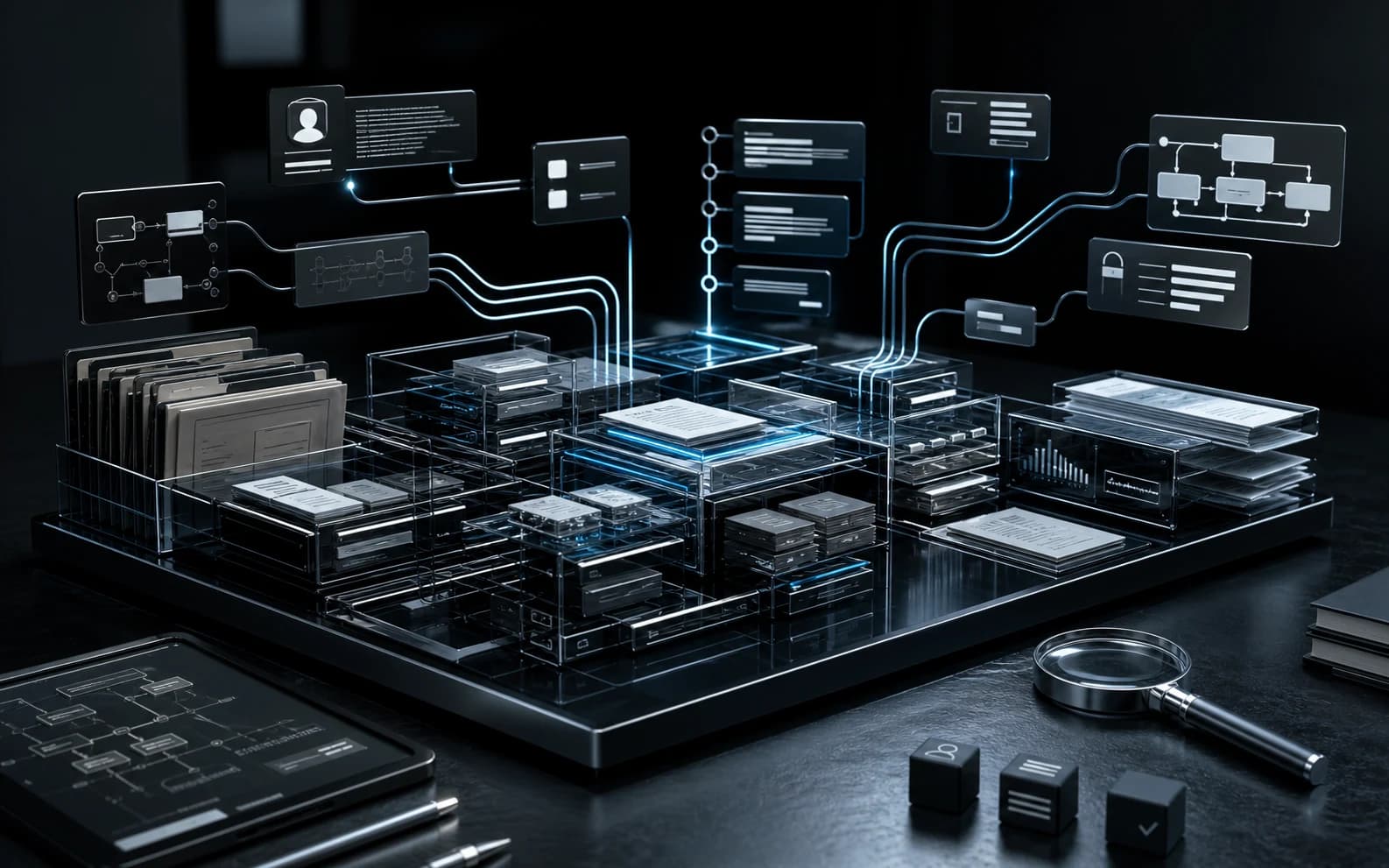
AI-native softwarefor problems existing systems cannot solve.
Shape the system around the ambition, not the ambition around existing tools. Blackvault Systems combines AI-native product engineering with proprietary production technology to create products and bespoke systems that give organisations greater command of how they operate, decide and build.
Operations. Capital intelligence. Frontier production.
Three strategic product systems give Blackvault the range to strengthen how organisations operate, how investors understand capital and how ambitious technical and creative work reaches production.
Finished product, configurable to requirements
Blackvault CRM
Give relationships, delivery, money and accountable history one operational memory.
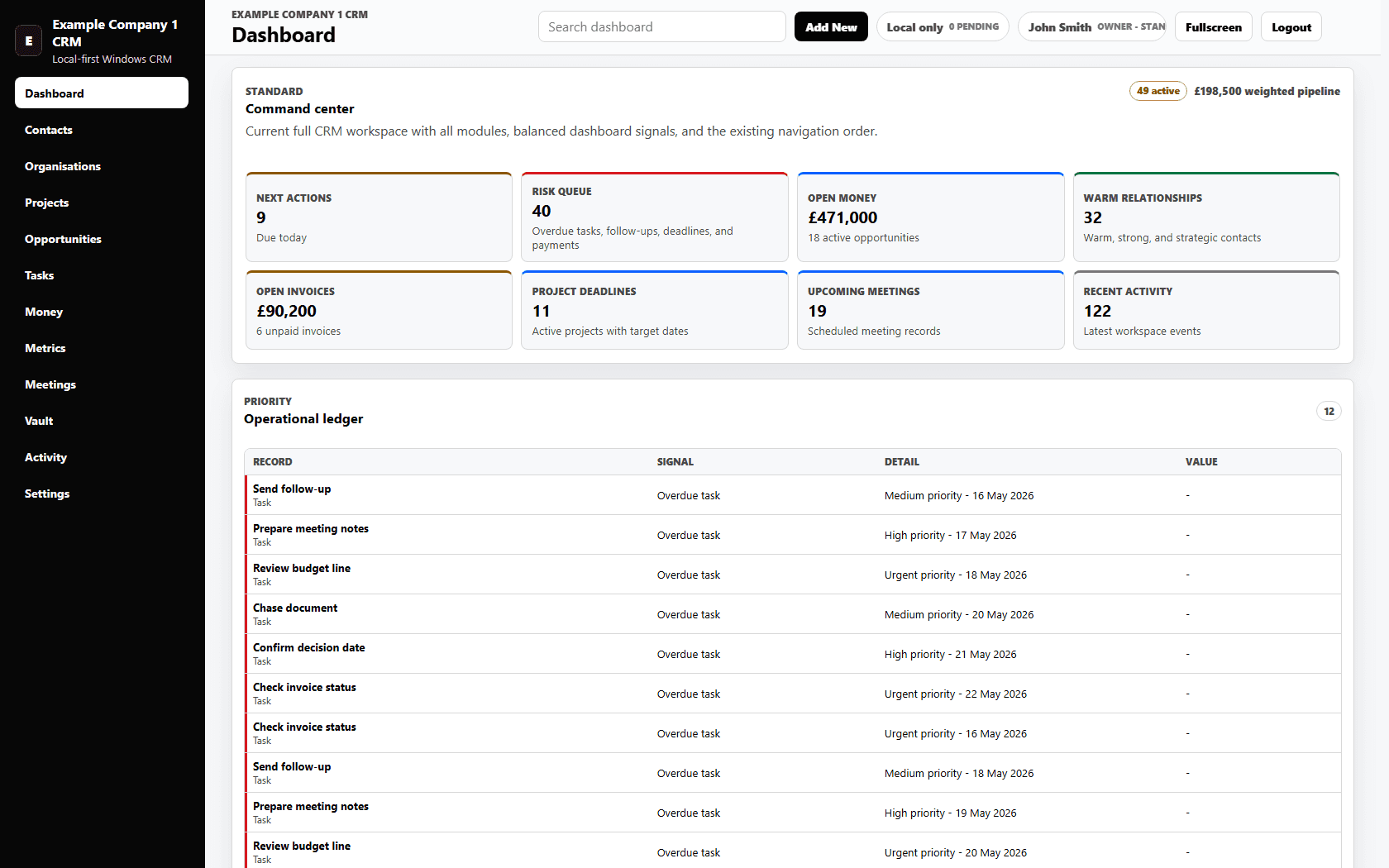
A finished local-first Windows CRM configured to each client's requirements across relationships, delivery work, documents, money records, permissions, backups and accountable activity history.
See the whole capital campaign, compare pathways and make opportunity cost explicit.
A powerful investment simulation and capital-intelligence environment for modelling the whole campaign: every position, cash state, recovery target, rule, scenario, projection and opportunity cost.
Equitease concept visual with illustrative data. Not investment advice.Explore Equitease
Expand the range of technical and creative work Blackvault can govern from intent to output.
Blackvault's proprietary internal production technology for turning complex intent into commercial-grade output across software, research, media, stories, architecture, art, spatial work, plans and operations. A professional edition is being prepared.
Abstract fictional Codeweb concept. Not a representation of the internal system.Explore Codeweb
Blackvault Systems
A product company built for the problems conventional software leaves unresolved.
Each Blackvault system addresses a different form of complexity. Together they give organisations, investors and creators more powerful ways to operate, decide and build.
Where existing systems stop
Relationships, delivery and accountability fragmented across generic admin tools.
Blackvault Systems response
Blackvault CRM
A finished operational system configured around each client's records, permissions, workflows, continuity and future requirements.
Where existing systems stop
Investment decisions flattened into prices and positions, with strategy, rules and opportunity cost left outside the model.
Blackvault Systems response
Equitease
A capital simulation environment for testing investment campaigns, comparing pathways and understanding what each decision displaces.
Where existing systems stop
High-complexity creation divided across files, tools and representations that cannot hold the whole work together.
Blackvault Systems response
Codeweb
A universal software intelligence environment for object-level, spatial and temporal production across software, stories, animation and three-dimensional worlds.
Where existing systems stop
Distinctive organisations forced to reshape important processes around software designed for somebody else's business.
Blackvault Systems response
Bespoke systems
Blackvault authors software around the real operating problem, combining product engineering with frontier production capability.
Real product. Real interface.
Blackvault CRM turns scattered operations into one accountable workspace.
The product is complete; the fit is configurable. Blackvault adapts workflows, permissions, migration, operating views and supported connections to the way each client actually works.
Codeweb expands the frontier Blackvault can operate across.
Codeweb is operational frontier technology inside Blackvault. It increases the range and complexity of work the company can undertake while unrestricted public access remains deliberately constrained and a commercial edition is prepared.
01
Broader production range
Blackvault can take on demanding technical, creative, spatial and temporal work within one accountable production environment.
02
Faster movement from intent to output
Complex ideas become concrete work sooner, giving people more room to shape, test and strengthen what reaches the market.
03
Human authority stays visible
Experienced people remain responsible for scope, judgement, quality and release while Codeweb expands what the company can produce.
Codeweb expands the range of work Blackvault can carry
A sealed capability illustration showing ambitious intent reaching technical, creative, spatial and temporal outcomes. It is not a representation of Codeweb's architecture.
Ambitious intent
A problem worth expanding for
Software
Complex products and systems
Media and stories
Ideas carried across forms
Spatial work
Models, environments and worlds
Temporal work
Motion, continuity and change
Abstract fictional Codeweb concept. Not a representation of the internal system.
Codeweb Studio
The future of work is not another stack of disconnected files.
Codeweb Studio is connected working intelligence for work that moves from an important figure to a decision and a published report without losing the facts behind it. Cellspace gives consequential values meaning. Blackpad carries that meaning into documents and fixed editions.
01
Understand the value
Move beyond an isolated number into its permitted context, history, assumptions and consequence.
02
Carry meaning forward
Bring the figure and its explanation into the document where the decision is argued and understood.
03
Publish with continuity
Create a fixed edition without severing the relationship between the statement and the facts behind it.
The product decisions behind what Blackvault has built.
Three owned build stories show the problem, artefact and consequence behind Blackvault CRM, Equitease and Codeweb.
Build note 01
Blackvault CRM
How Blackvault turned fragmented relationship, delivery and administration records into a finished local-first Windows CRM that can be configured, modified and extended around each client's requirements.
Why the product question expanded from understanding a security position to understanding the complete campaign, the capital still at risk and the routes an investor could compare next.
The production problem that led Blackvault to create operational frontier technology spanning difficult software, research, media and creative work while keeping unrestricted access deliberately constrained.
Christopher Marston founded Blackvault Systems to build software around difficult commercial realities rather than force those realities into inadequate tools. Product judgement, delivery responsibility and client accountability stay close to the work.
Blackvault Systems Ltd is a registered UK software company. Its products, proprietary technology and bespoke engagements share one operating thesis: expand capability without surrendering human responsibility for the outcome.

 Explore Blackvault CRM